
PLATFORM · HOW CREWPLANNER WORKS
Every property, planned.
Every hour, accounted for.
How a measured property becomes a crew's day, how the day holds up when conditions change, and where the labor hours and the capacity in your portfolio actually sit.

FIVE STEPS. ONE LOOP. PICK ONE OR READ THEM IN ORDER.
Start from the property
Every inch of the serviceable area, measured first. The base for every plan.
02 · PLANPlan the day
Hours from the services and the measured areas, laid out per crew member.
03 · RE-BALANCEAbsorb the change
Tell the Planning Assistant what changed. The plan redraws.
04 · VARIANCECompare to actual
Planned hours against the hours you were clocking, property by property.
05 · CLOSE THE LOOPKeep it on plan
Every season, new property and crew change, planned to the same standard.
01 · MEASURE
The plan starts from the measured property.
How many hours does a property actually need? Not what the ticket says. What the ground and the services actually need.
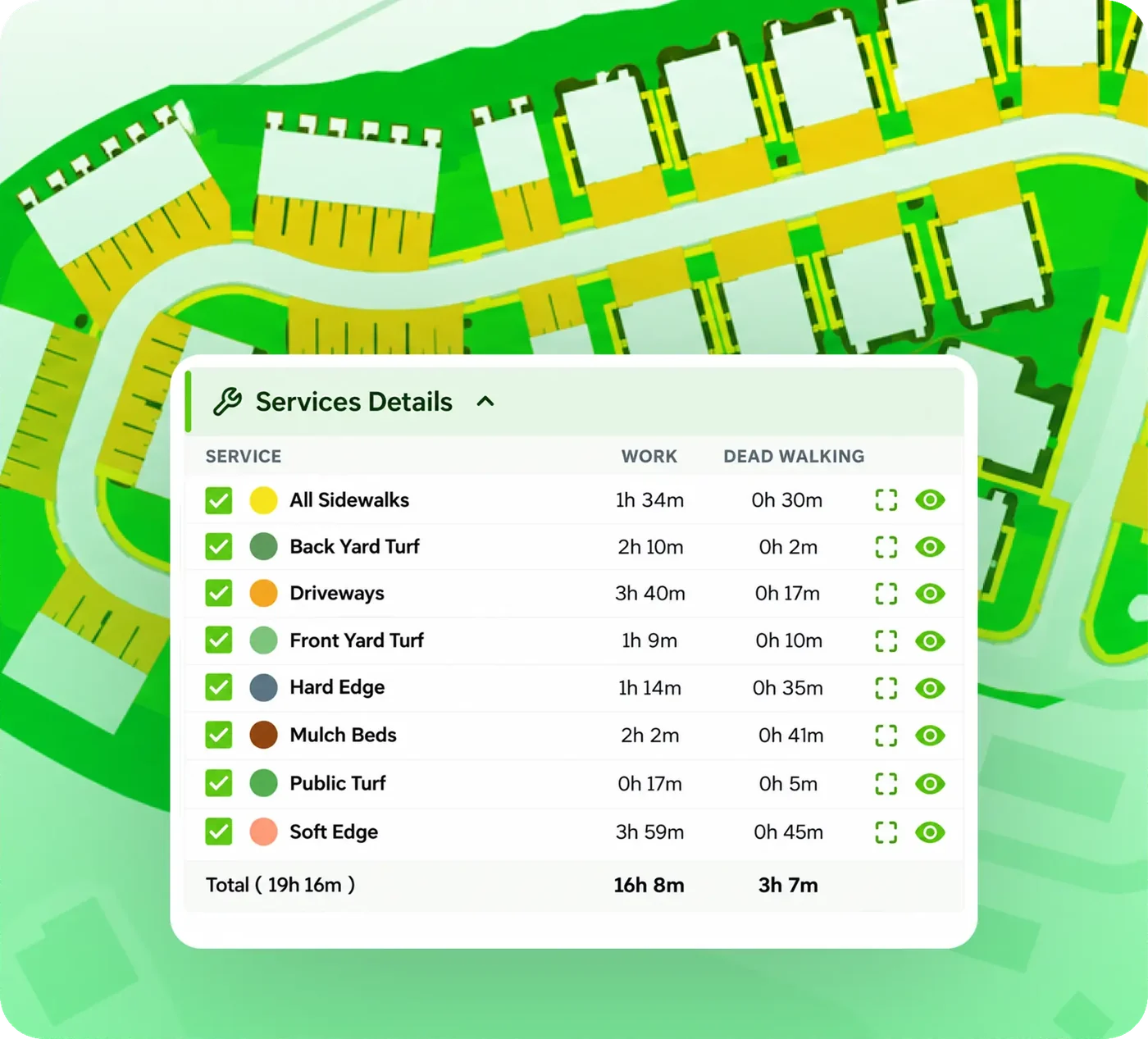
Before a single hour is planned, every service area on the site is measured: turf, beds, soft edge, hard edge, walks, hardscape. The square footage and the physical scope of the work are on the record, so the plan is built on the site as it is, not on a number carried over from last season or the estimate.
We start where takeoffs stop. A measured map is the input to CrewPlanner, not the product. The measurement exists so the hours can be calculated from something real.
“I've been there on site, so I can tell them, this is actually a rock bed. We can't fit a 48-inch mower back here, we need a push mower. So we can customize that in real time and fix the plan.”
Jared Bravenec · Maintenance manager · Fay-Ark Lawn Co.
02 · PLAN
Every crew member's day, built from the property.
Who does what, with which machine, in what order, and how long should it take?
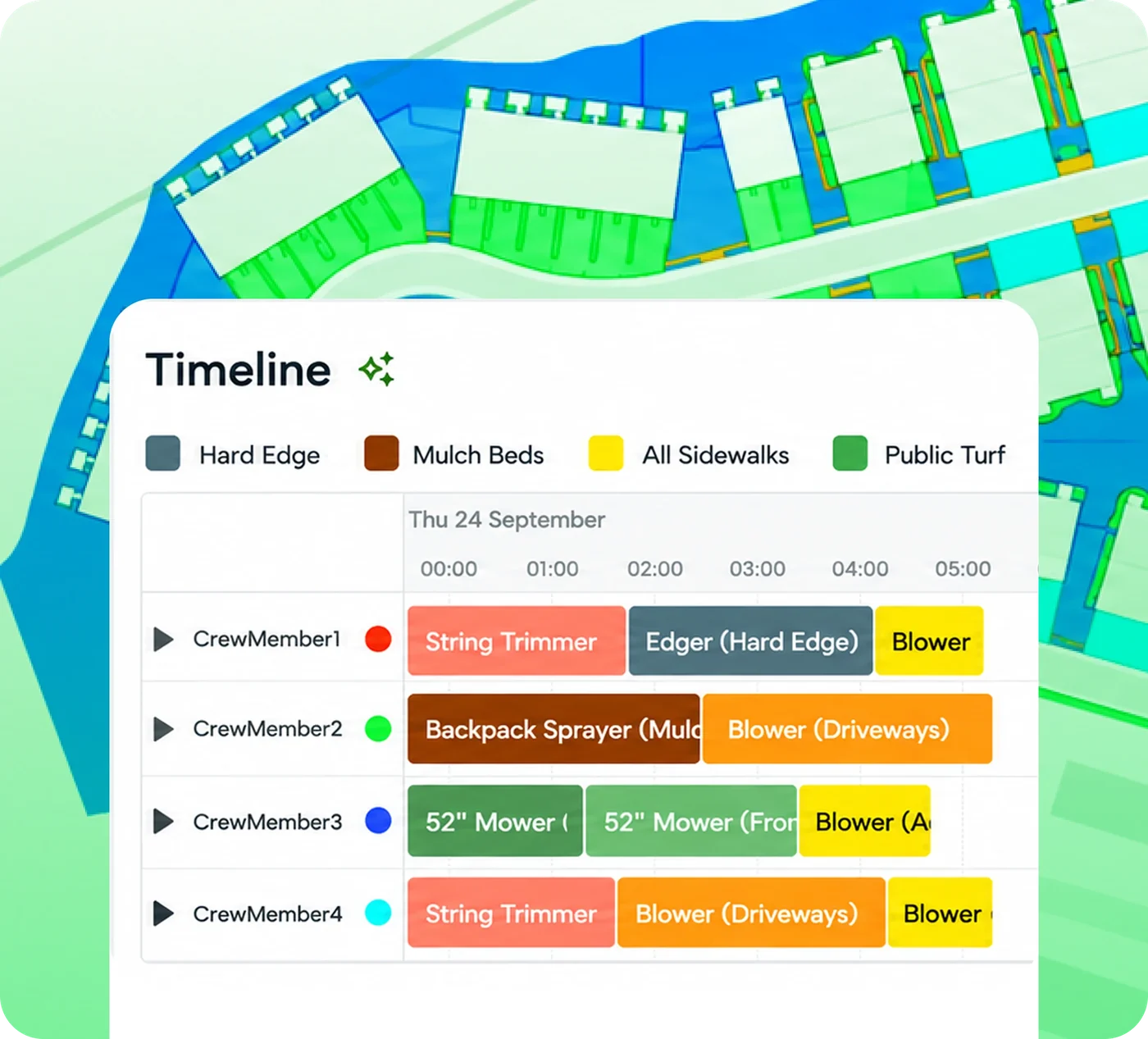
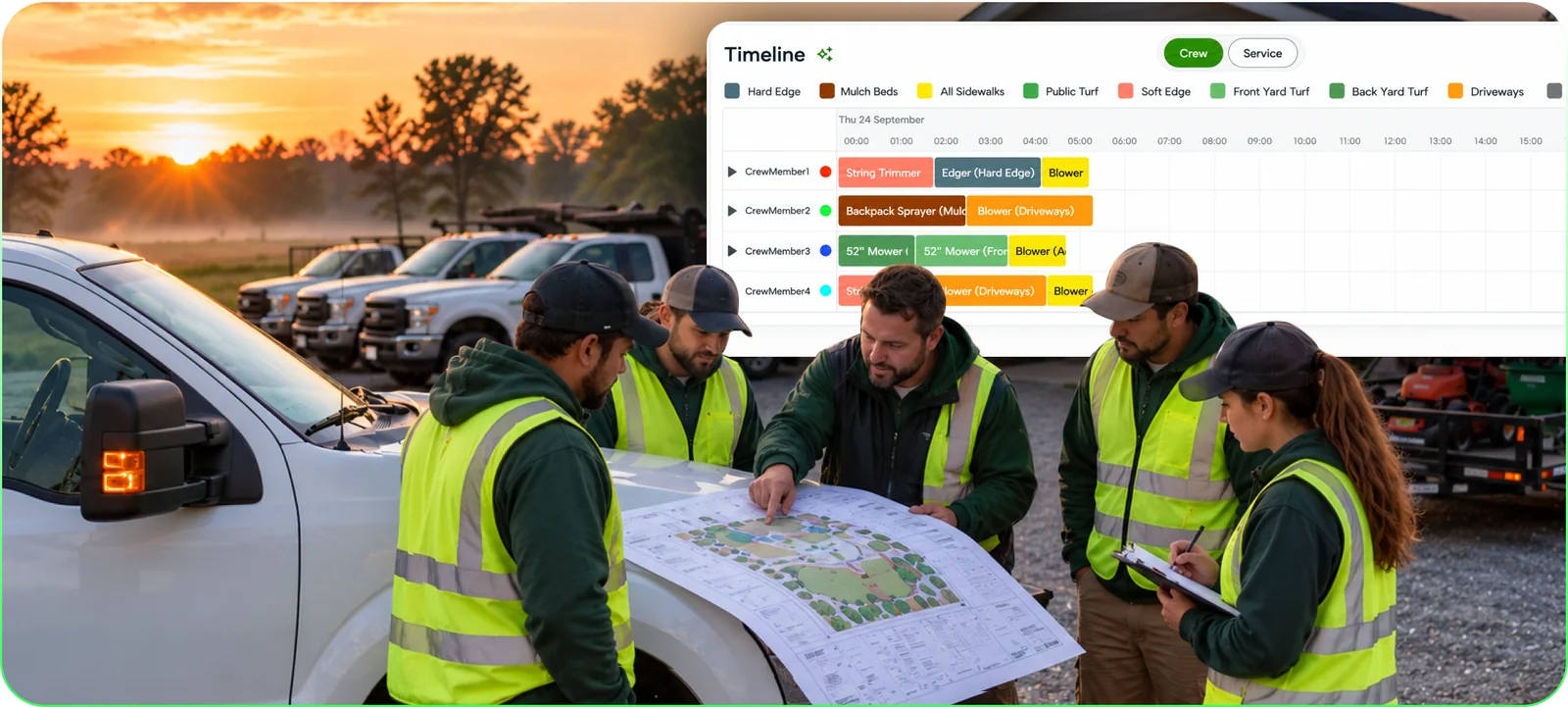
CrewPlanner calculates the hours each service needs from the measured area, the production rate for the equipment you actually run, the distance between service areas and the size of the crew. Then it lays the day out on a timeline, crew member by crew member: who does what, in what order, and how long it should take, with the work loaded evenly across the crew.
Every plan can be tuned. Zone a property so each crew member owns an area, move the parking spot to cut walking, add a second mower, rotate edging and spraying week to week, run it with two, three or four. And because every plan is built the same way, every branch and every foreman works to the same standard.
“It's having a plan for each person. It doesn't matter if the foreman's called in sick. Everyone has the same information to perform at the hours it's quoted, or ideally below.”
Eric Hill · President · Fay-Ark Lawn Co.
03 · RE-BALANCE
When Tuesday happens, the plan redraws.
A crew member calls in at 6:40. Who re-plans the day, and how many phone calls does it take?
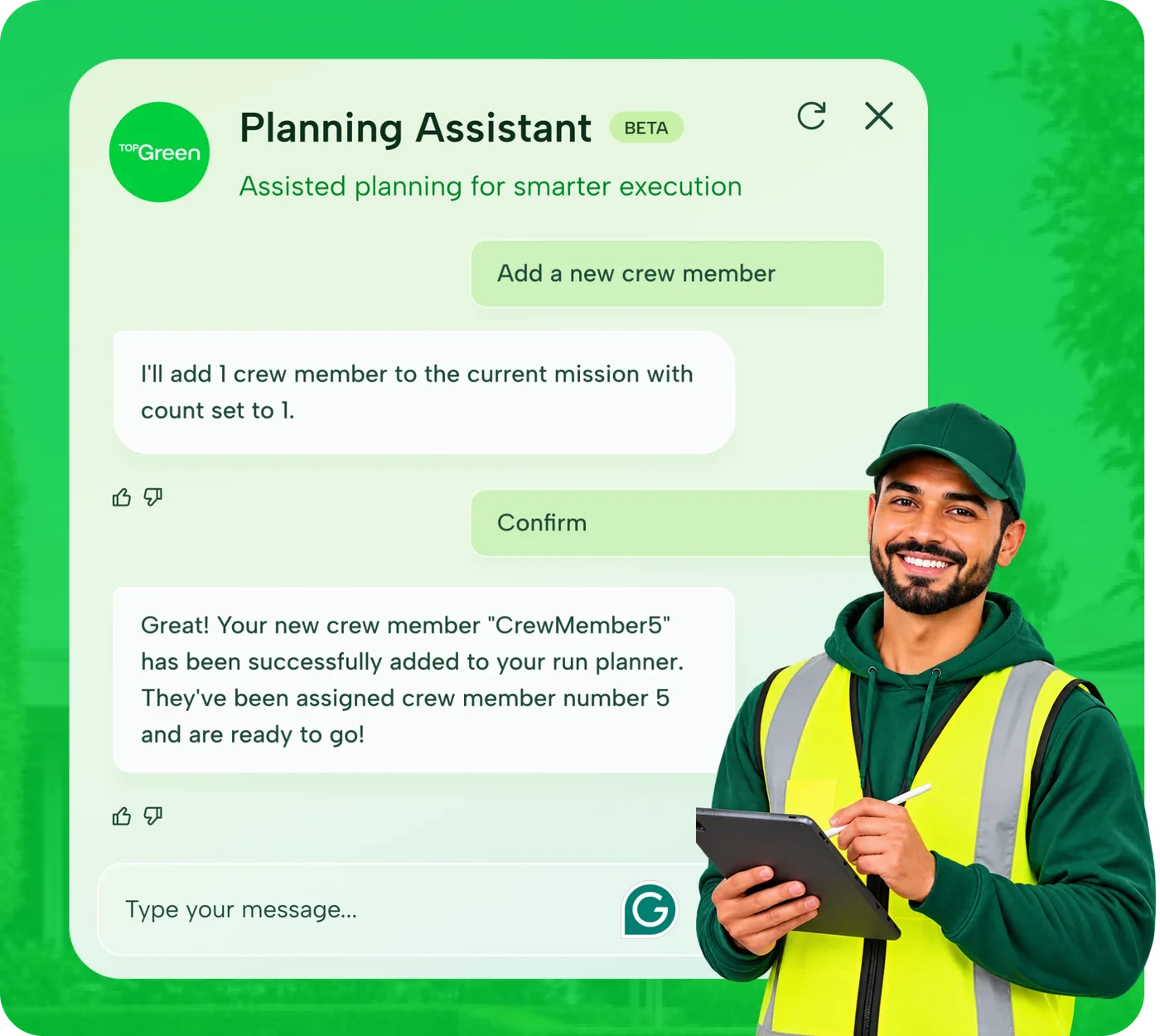
Meet the Planning Assistant, now in beta. Tell it what changed, in plain words: a crew member is out, the beds are done, a mower won't fit through the gate. It re-balances the property across the crew you actually have and updates the plan in seconds. It understands service names even when they're typed fast or misspelled, and asks when something isn't clear. The plan handles the variability in labor and equipment; the manager just says what changed.
In English or Spanish. CrewPlanner has a language toggle, so the plan reads the way the crew talks. Managers coach from the plan, and every foreman is looking at the same day.
“We have a three-man crew today because we had to move some guys around. In our notes, I have the three-man plan for that property. It just takes the guesswork out.”
Jared Bravenec · Maintenance manager · Fay-Ark Lawn Co.
04 · VARIANCE
Your whole portfolio, planned against what you estimated.
Where did the hours go last month? Month-end keeps asking. The ticket can't answer.
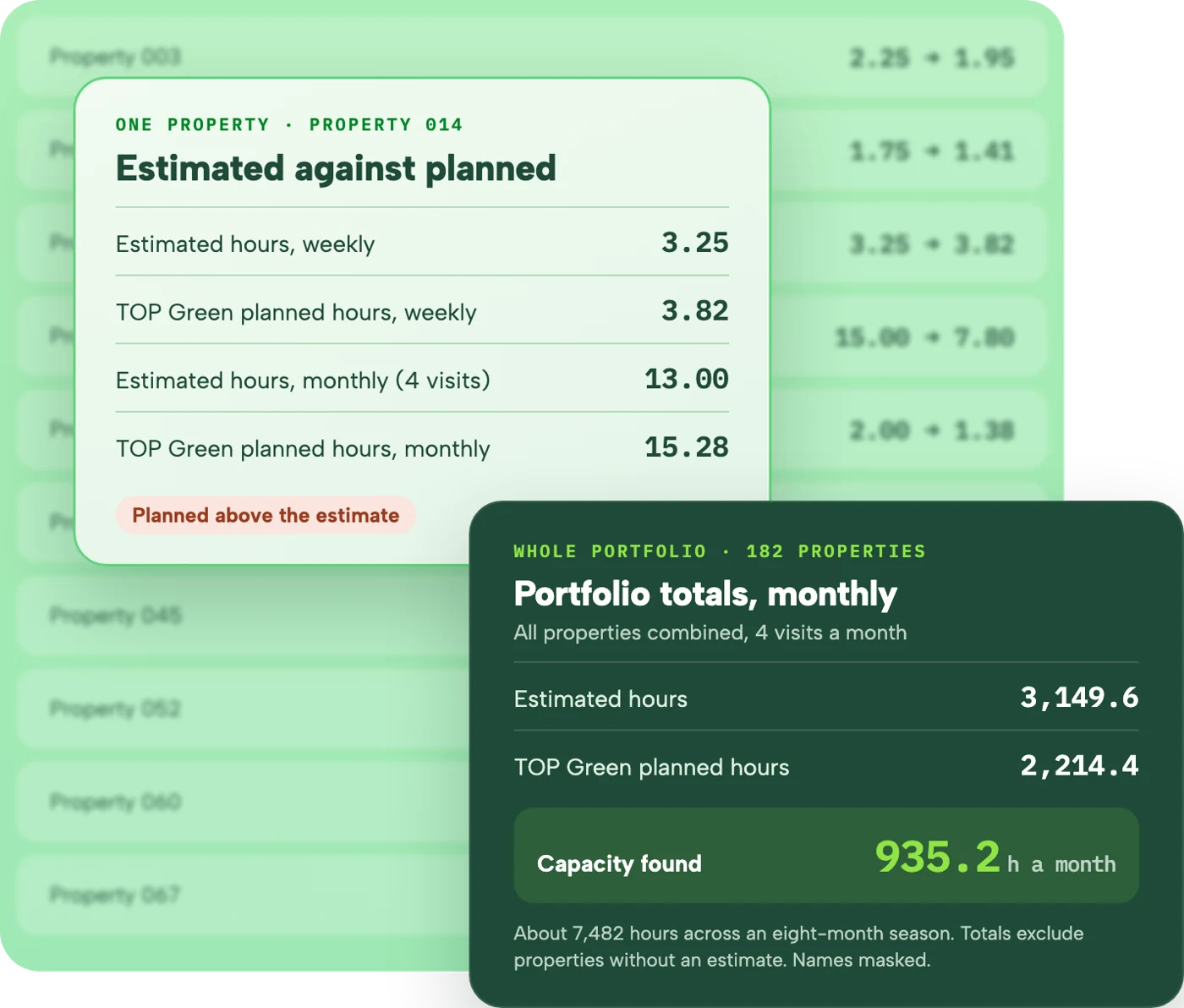
It starts with the portfolio. Your TOP Green planner plans every property and puts the planned hours next to your estimated hours, property by property, with the capacity that shows up across the book. Once plans are running, we compare them with the hours your crews actually clocked, so you can see which properties run long, on which service, and where capacity sits unused.
This is a service, not another dashboard. Your planner builds the report and walks you through it, so managers can coach the work, property by property and service by service.
05 · CLOSE THE LOOP
Every season, planned to the same standard.
What happens after the first season?
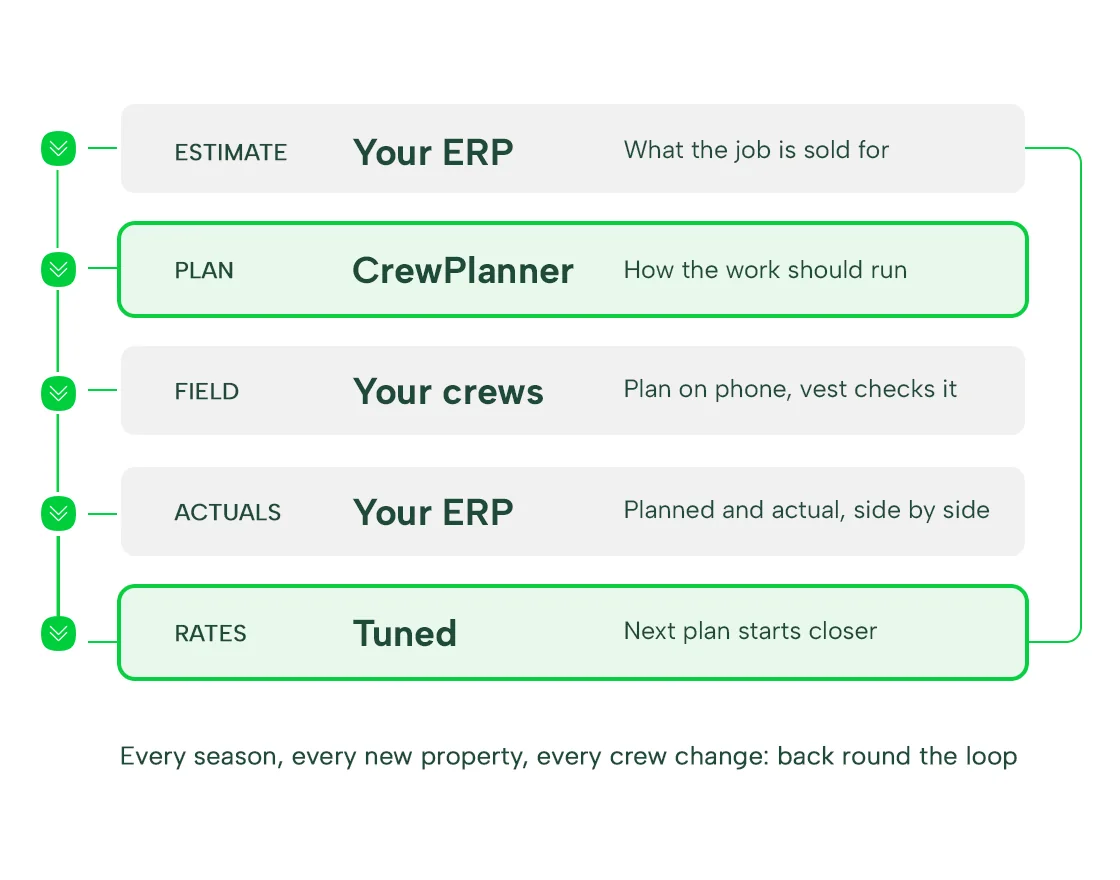
Properties change, crews change and new contracts come in. Every new property, every crew change and every season gets planned to the same standard, so production doesn't drift back to habit. CrewPlanner sits beside the ERP your account managers live in: plan links go in your ops notes, and planned and actual hours can be kept in the ERP alongside the estimate, the way most ERPs already allow.
Plan a property before you bid it. Customers send us a new property before they price it, so the bid starts from a plan instead of a gut number. The estimate stays yours; the plan gives it something to stand on.
It starts with your portfolio, not a rollout.
Before anything changes in the field, you see your whole book planned, property by property, against the hours you estimated.
-
Send your property list
Addresses, the services on each contract and the hours you estimate today, plus a property map or site link where you have one. A spreadsheet is fine. No exports, no integration project.
-
Get your portfolio report
We plan every property and hand back estimated hours against planned hours, property by property, with the capacity that shows up across the portfolio.
-
Pick where to start
A branch, a route or a crew. You start where the report says the hours are.
-
Walk the plans every week
A TOP Green planner works with whoever runs your production, correcting plans with ground truth: the rock bed, the gate the mower won't fit through, the slope that needs a push mower.
-
Plans in the crew's hands before the trucks roll
The plan opens on any phone, and a printed copy rides in the trailer. Every foreman starts the day with the same information, so it doesn't matter who called in.
WHAT WE NEED FROM YOU
- Property addresses for the portfolio
- Estimated hours per property, as they are today
- The services on each contract, how often they run, and the equipment you use
- Whoever runs production day to day, by any title, with an hour a week
Best time to start is pre-season, before crews have done the properties their way. Mid-season works; it just takes more coaching.
Four things CrewPlanner is not, stated plainly.
The map view gets us misread on almost every first call. Here is where the product starts and stops, so the demo can be about your operation instead of the category.
NOT AN ESTIMATING TOOL
We don't price the work.
The estimate is built to win the job, with many other factors in play. The plan is built to deliver it. CrewPlanner works independent of your estimate on purpose, so the variance between them means something.
NOT A TAKEOFF TOOL
The measured map is the input, not the product.
Takeoffs stop at square footage. We start there and turn it into hours, a crew's day, and a number to compare against.
NOT SCHEDULING OR ROUTING
We don't decide which day. We plan what happens on site.
Your scheduling software puts the crew at the property on Tuesday. CrewPlanner is what the crew does once the truck is parked. The two live side by side.
NOT TRACKING SOFTWARE
Built for coaching, not policing.
CrewIntel vest data sets fair production rates, and the reports point at properties and services, so managers coach the work instead of ranking the people. If you want a system to police employees, this isn't it.
14.2%
Labor-hour improvement on a first branch, confirmed against the customer's own ERP actuals. Measured, not projected.
First branch · ERP-verified
“Most of that is labor.”
Eric Hill on the year Fay-Ark made gross margin the mandate: labor and materials, and most of it labor.
Fay-Ark Lawn Co. · On camera
“You can pay them more.”
Eric on crews that produce more revenue and lead their teams well. Better plans raise the ceiling on pay.
Fay-Ark Lawn Co. · On camera
Same loop. Three different reasons to run it.
The number is the same in every seat. What you do with it isn't.
Add the next property, not the next truck
Your portfolio report: estimated against planned hours, and where the capacity sits across the book.
START AT: 04 · VARIANCE
How owners use itOwn contract health after the ink dries
Lead the rollout, start where the hours bleed, and plan new properties before you bid them.
START AT: 02 · PLAN
How branch managers use itCoach to a standard every crew can see
Plans in every foreman's hands before the trucks roll, and a re-plan that takes seconds when the morning changes.
START AT: 03 · RE-BALANCE
How production teams use itWhat operators ask before they book.
What data do we need to start?
Your property list: addresses, the services on each contract and the hours you estimate today, plus a property map where you have one. For weekly plans, the service schedule too. No exports, no integration project to get started.
How accurate are the production rates?
Day one uses conservative industry defaults, or rates you already trust, so the first plans are ones your crews can beat. Through the season, field data from CrewIntel vests tunes the rates to how your crews actually work. The rates are never fixed.
We already have scheduling software. Why isn't that enough?
Scheduling decides which day the crew arrives. It has nothing to say about the six hours after the truck is parked: who does what, in what order, and whether the ticket hours were ever right. That is the gap CrewPlanner fills, and the two run side by side.
Isn't this what our ERP does?
Your ERP is built for account managers: estimates, invoices, contracts. There is nothing in it to help production people succeed on site. CrewPlanner is the production layer between the estimate and the field: the blueprint the crew works from. Plan links live in your ops notes.
Do the maps update when scope changes?
High-resolution aerial imagery refreshes several times a year and scope changes are re-measured, so a property that gained a bed or lost a turf area changes on the plan, not just on the invoice.
How does it scale past one branch?
It starts with the whole portfolio, so every branch is in the first report. From there, each branch, route or crew comes onto plans when the report shows the hours are worth it, not on a rollout calendar.
Does it work in Spanish?
Yes. CrewPlanner has an English and Spanish toggle, so crews can read the plan in the language they work in.
Do we need the vests?
No. Plans work without them. CrewIntel vests make the production rates more accurate by checking the plan against real site time, and the data sets fair rates for your crews. The vest checks our math, not your people.
How will crews take it?
Honestly, the first plans can look intimidating on a tablet, and hourly crews can read "fewer hours" as fewer paid hours. The operators who succeed frame it the way it works: optimize the labor, don't reduce it. Same paid hours, spread across more revenue. Pre-season adoption is easier than mid-season.
See the loop for yourself.
Book a demo. We start with how your operation runs today, then show you the parts of CrewPlanner that fit.